The Zero-Denial Guide to Offerwall Tracking: How to Prevent Missing Credits on iOS and Android
There is nothing worse than grinding 25 hours on a mobile game only to have your reward fail to track. Here is my battle-tested system for zero tracking denials.

Overview: The Grinder's Worst Nightmare
There is no feeling worse in the rewards gaming world than this:
You spent 25 hours over two weeks grinding a mobile strategy game to Level 17. You finally tap the upgrade button, celebrate your victory, open your Freecash or Swagbucks dashboard... and nothing happens.
No pending notification. No cash credit. Just silence.
When I started grinding game offers, this happened to me twice in my first month, costing me nearly $140 in uncredited rewards. I was furious. But as I dug into the technical pipeline of how mobile offerwalls work, I realized something critical:
95% of tracking failures are completely preventable. They happen because of default phone privacy settings, ad blockers, or minor setup errors made in the first 60 seconds before installing the game.
In this guide, I’m breaking down the exact pre-flight routine I use on every single device to ensure 100% reliable tracking, plus the copy-paste appeal template I use that has a 90%+ success rate with support.
- iOS Golden Rule: You must enable "Allow Apps to Request to Track" in iOS settings and tap "Allow" on the first app launch.
- Android Golden Rule: Turn off Private DNS (like AdGuard) and never use VPNs or proxies.
- The 60-Second Install Window: Once you tap the offer link on your rewards site, download and open the game immediately on the same network without switching between Wi-Fi and Cellular.
- The 5 Screenshot Proof System: Always capture your pre-install terms, store receipt, in-game player UID, milestone victory, and purchase receipt.

How Offerwall Tracking Actually Works (The Technical Chain)
To prevent tracking drops, you need to understand the technical chain connecting your rewards site to the game:
``
[1. Tap Offer Link on Rewards Site] ──► (Generates Unique Click ID)
               │
               ▼
[2. Redirect to App Store / Google Play Store] ──► (Passes Attribution Token)
               │
               ▼
[3. Game Downloaded & Installed]
               │
               ▼
[4. First App Launch: User Taps "Allow Tracking"] ──► (Binds Device ID to Click ID)
               │
               ▼
[5. Milestone Reached: Game Server Sends Postback Webhook]
               │
               ▼
[6. Cash Credited to Your Dashboard]
`
If your phone blocks tracking at Step 1 (via ad-blocking DNS) or Step 4 (tapping "Ask App Not to Track"), the attribution chain snaps permanently, and the game server has no idea who you are.
My iOS Pre-Flight Setup (iPhone & iPad)
Apple's App Tracking Transparency (ATT) is responsible for the vast majority of iOS tracking failures. Before you tap any offer link, check these settings:
- Enable App Tracking: Go to Settings → Privacy & Security → Tracking. Turn "Allow Apps to Request to Track" to ON (Green). If this is greyed out, your Apple ID may be restricted by age or family sharing.
- Adjust Safari Privacy: Go to Settings → Safari. Temporarily turn off "Prevent Cross-Site Tracking" and "Hide IP Address" (iCloud Private Relay) while you click and install the game. Private Relay scrambles your IP, breaking the link between your rewards site and the App Store.
- The First Launch Pop-Up: When you open the newly downloaded game for the first time, an iOS prompt will appear: "Allow [Game] to track your activity across other companies' apps and websites?" You must tap "Allow". If you tap "Ask App Not to Track", the offer will never credit.

My Android Pre-Flight Setup (Samsung, Pixel, OnePlus)
Android offers more flexibility, but background battery managers and ad-blocking DNS can silently kill tracking postbacks:
- Turn Off Private DNS: Go to Settings → Network & Internet → Private DNS. Set this to "Off" (or Automatic). If you have dns.adguard.com
or any custom DNS filter enabled, it will block tracking webhooks. - Reset Your Google Advertising ID (GAID): If you previously played the game years ago, go to Settings → Google → Ads and tap "Reset Advertising ID". (Only do this for games you've genuinely never installed on your current phone).
- Turn Off Battery Optimization: Make sure Google Play Store and Chrome are not being aggressively put to sleep by your phone's battery saver.
The 5 Mandatory Screenshots I Take on Every Game
If an offerwall milestone ever fails to credit automatically, support teams will only pay you if you provide clean, photographic proof. For every game worth over $20, I save these 5 screenshots in a dedicated phone album:
- Screenshot 1: The Offerwall Terms Screen. Take a picture of the listed task and dollar bounty on Freecash or Swagbucks before downloading.
- Screenshot 2: App Store Install Screen. Showing the download timestamp and your logged-in store account.
- Screenshot 3: In-Game Profile Screen. Showing your unique Player ID / Account UID / Server Number.
- Screenshot 4: Milestone Victory Screen. Showing your completed level (e.g. City Hall 17 or Board 42).
- Screenshot 5: App Store Purchase Receipt (If you bought anything). The official email receipt showing the transaction ID.
High-Risk Games & Platform Safeguards
Certain games require extra care due to strict anti-fraud checks:
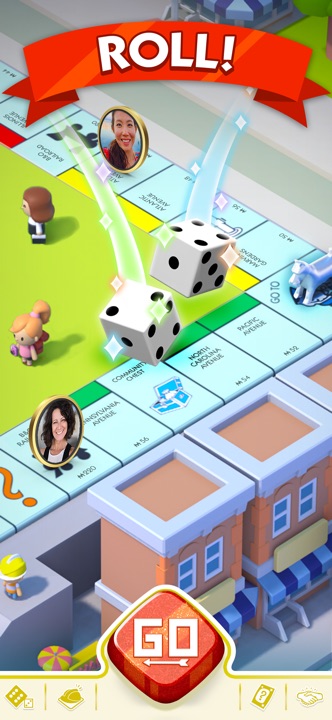
- Don't Link Social Accounts Too Early: In games like Monopoly GO, connecting your Facebook or Apple ID before your first milestone tracks can sometimes reconnect an old guest account, causing an immediate tracking rejection. Play the first couple of boards as a guest before linking.
- Watch the First Tier Like a Hawk: On platforms like Freecash, EarnLab, and Swagbucks, early milestones (like reaching Level 5) act as an early warning system. If Tier 1 doesn't track within 2 hours, stop playing immediately. Never grind 30 hours toward Tier 10 if Tier 1 failed to register.
My Copy-Paste Support Appeal Template (90%+ Success Rate)
When you submit a missing credit ticket, never write angry messages like "You scammed me!" Support agents handle hundreds of tickets a day and prioritize polite, professional messages with clear attachments.
Copy and use this exact template:
`
Subject: Missing Credit Inquiry - [GAME NAME] Milestone Completion
Platform / Offerwall: [e.g. Freecash / Torox]
Game Title: [INSERT GAME TITLE]
Player Account UID: [INSERT YOUR IN-GAME ID]
Date of Installation: [INSERT DATE]
Date Milestone Completed: [INSERT DATE]
Listed Milestone Bounty: $[INSERT DOLLAR AMOUNT]
Hello Support Team,
I recently completed the offerwall challenge for [GAME NAME] following all promotional terms. The game was installed on a physical mobile device without the use of a VPN, proxy, or emulator.
The milestone has not credited to my balance within the standard 24-hour verification window.
I have attached complete verification proof:
- In-game player profile screenshot verifying my unique Account UID.
- Milestone achievement screen confirming the required level/target was cleared within the allowed calendar window.
- Offerwall pre-installation task listing.
- [Optional] Official App Store purchase receipt confirming transaction ID.
Sincerely, [YOUR USERNAME / EMAIL] ``